
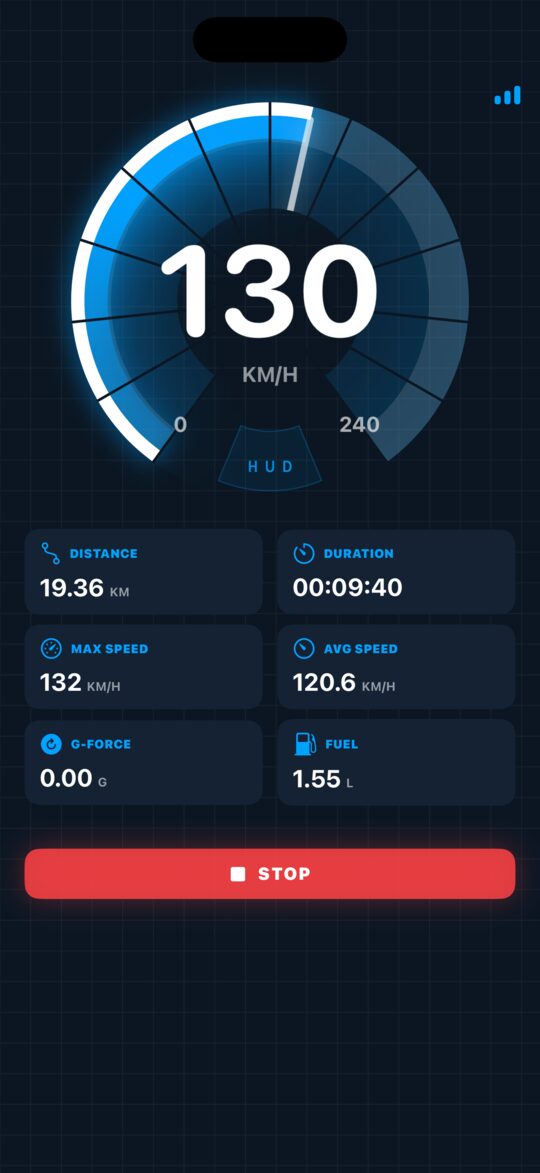
- Precise GPS speed
- Speed limit warnings
GPS · HUD · Trips
Your speed, clear at a glance.
A smart GPS speed tracker for accurate speed monitoring, trip tracking and safer driving, every day.
Inside the app
Take a closer look
Scroll sideways
-
Live speed on the HUD -
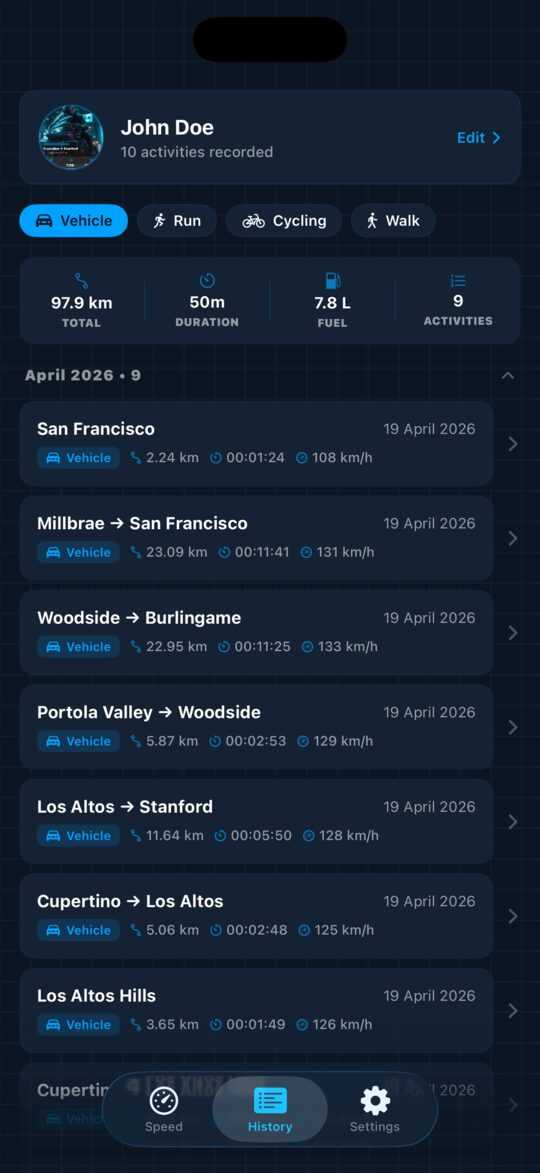
Trip history -
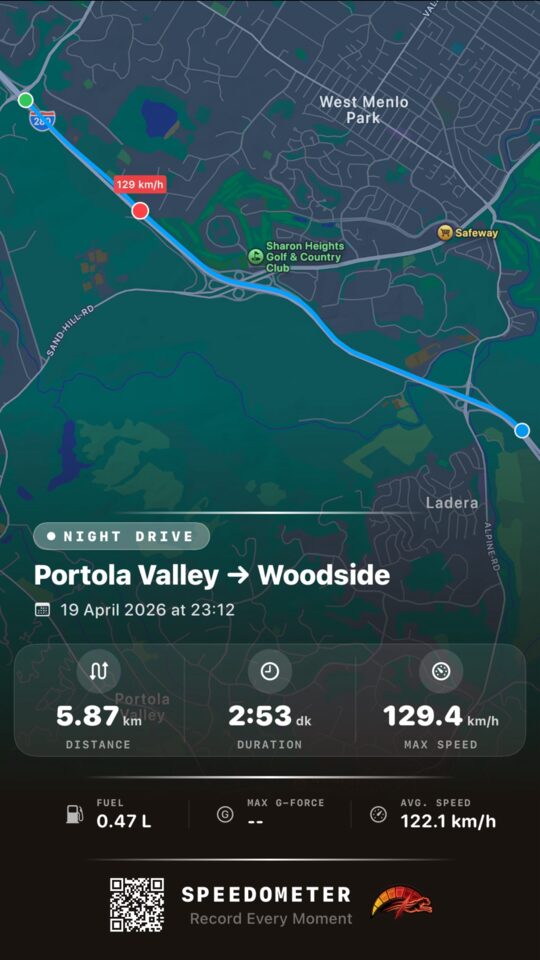
Route on the map -
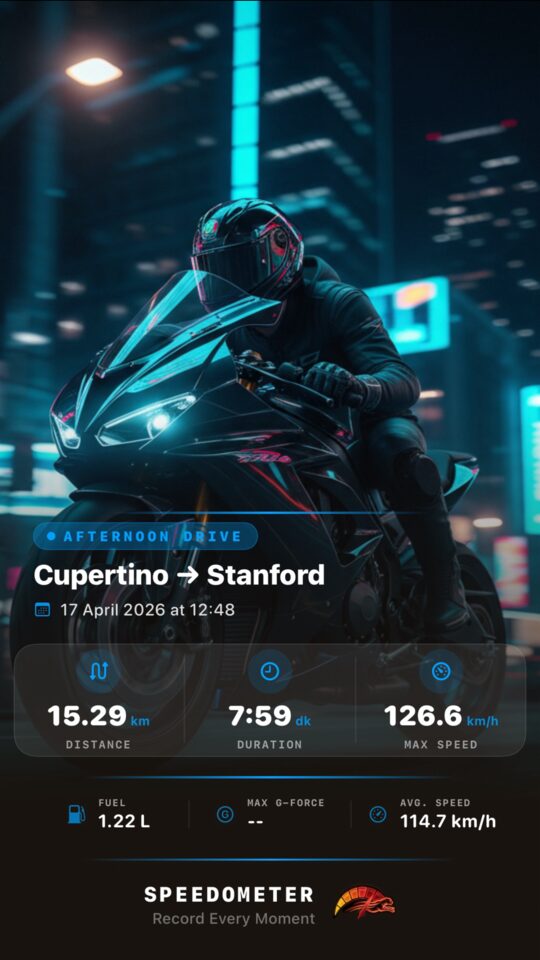
Trip summary card
Specifications
The spec sheet
- Speed measurement
- GPS
- Live, precise tracking
- Activity modes
- 4
- Vehicle · Run · Cycling · Walk
- Speed limit
- Alerts
- Personal, instant warnings
- Display
- HUD
- Large and easy to read
- Trips
- History
- Route summaries on the map
- Compatibility
- iOS 18+
- iOS 18.0 or later
- Languages
- 17
- Including English, Turkish and French
- App Store rating
Features
Everything you need on the road
Reliable speed information and simple route tracking, in one clean view.
-
Live GPS speed
Get live speed updates with precise GPS tracking, wherever you go.
-
Speed limit warnings
Set personal speed alerts and get instant warnings to help you stay safe and avoid unnecessary penalties.
-
Trip stats in one view
Distance, time and speed are calculated for you as you move.
- Distance
- Driving time
- Average speed
- Top speed
-
Large HUD display
A large, easy-to-read display for clear visibility while driving, cycling or traveling.
-
Route history
Keep a history of your routes and trip summaries for better driving insights.
- Trip history with route summaries
- Map-based route tracking
- Distance, duration, max and average speed per trip
How it works
Start, drive, review
Start a session
Speedometer uses your device's GPS to detect your real-time speed.
Stay informed
Distance, travel duration and maximum speed are calculated automatically, and your speed alerts warn you when needed.
Review your trip
Open the summary and the map of every completed trip in your history.
Made for
- Drivers
- Bikers
- Cyclists
- Travelers
- Daily commutes
- Long road trips
Keep your eyes on the road
Speedometer doesn't replace legal speed limits or traffic rules, and GPS readings can vary with conditions. Don't watch the app while driving fast or in dangerous conditions, and always follow local traffic laws.
Privacy
Your trips stay on your device
Session recordsStored on device only
Location is used to measure your speed and route, not to follow you around.
Read the Privacy Policy- Trip records are stored only on your device
- Location is used only during an active session
- Your personal data is not shared, sold or rented
- Delete your trip history anytime from the History screen
Frequently asked questions
Can't find your answer? Write to the support address and I'll get back to you.
Is Speedometer free?
Yes. You can download Speedometer for free and the basic features stay free. Premium features such as an ad-free experience, unlimited access and advanced tools require an active auto-renewable subscription.
Why does the app need location access?
Speedometer needs “While Using” location permission to measure your GPS speed and track your route. Background location is used only while a session is active and stops when the session ends. You can change this anytime in iOS Settings → Privacy → Location Services.
How accurate is the speed?
GPS and sensor-based measurements may vary in accuracy depending on environmental conditions. Use the readings as a guide: the app doesn't replace legal speed limits or traffic regulations, so always follow local traffic laws.
Where are my trips stored?
Only on your device. Trip records are saved locally and aren't sent to a server. You can delete your history anytime from the History screen, and deleting the app removes all stored data.
How do I cancel my subscription?
You can view, manage or cancel your subscription anytime in your App Store account settings. It renews automatically unless it is canceled at least 24 hours before the current billing period ends.
What do I need to use it?
Speedometer requires iOS 18.0 or later and is available in 17 languages, including English, Turkish and French.